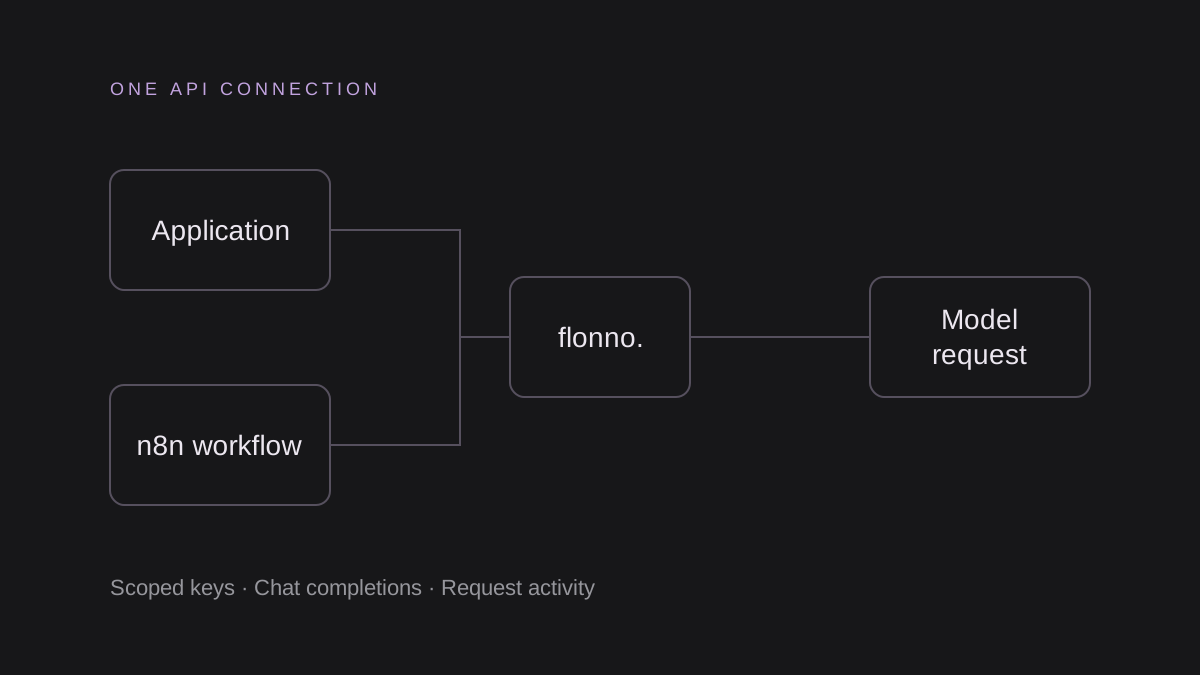
Configure the connection
Create a server-side Flonno key with chat:completions and the required model access. Keep it in FLONNO_API_KEY. Use https://www.flonno.com/v1 as the SDK base URL and select an exact public model ID from the Flonno catalog.
The current examples use glm-5.3-flash-tee. Model availability and prices can change; check the catalog and wallet before testing. OpenAI compatibility here covers Chat Completions and model listing. Do not assume Responses, embeddings, image generation or every OpenAI endpoint is available.
Make one request with Python
Install the official openai package in your project environment with pip install openai. Set FLONNO_API_KEY outside source control and run the downloadable chat.py example from /integrations. The example disables SDK retries to avoid silently repeating a billable request.
"""pip install openai. One billable completion; disable automatic retries."""
import os
from openai import OpenAI

client = OpenAI(api_key=os.environ["FLONNO_API_KEY"], base_url="https://www.flonno.com/v1", max_retries=0, timeout=120)
result = client.chat.completions.create(
    model=os.environ.get("FLONNO_MODEL", "glm-5.3-flash-tee"),
    messages=[{"role": "user", "content": "Give one practical tip for organizing support tickets."}],
    max_tokens=128,
)
print(result.choices[0].message.content)
print("Reported usage:", result.usage)
Call from Node.js without an SDK
Node.js 20 or later has built-in fetch. Download chat.mjs from /integrations, set FLONNO_API_KEY in your shell or deployment secret store and run node chat.mjs. The script applies a 120-second timeout and caps output at 128 tokens.
If you prefer the JavaScript OpenAI SDK, set apiKey to your server environment variable and baseURL to the same Flonno URL, then use client.chat.completions.create. Never put the key in a browser bundle.
// Node.js 20+. No additional packages required. One billable completion.
const apiKey = process.env.FLONNO_API_KEY;
if (!apiKey) throw new Error("Set FLONNO_API_KEY in your server environment.");
const response = await fetch("https://www.flonno.com/v1/chat/completions", {
  method: "POST",
  headers: { Authorization: `Bearer ${apiKey}`, "Content-Type": "application/json" },
  body: JSON.stringify({
    model: process.env.FLONNO_MODEL || "glm-5.3-flash-tee",
    messages: [{ role: "user", content: "Give one practical tip for organizing support tickets." }],
    max_tokens: 128,
    stream: false,
  }),
  signal: AbortSignal.timeout(120_000),
});
if (!response.ok) throw new Error(`Flonno returned HTTP ${response.status}. Check key permissions, model access, and wallet balance.`);
const result = await response.json();
console.log(result.choices?.[0]?.message?.content ?? "No text returned; inspect the response schema.");
console.log("Reported usage:", result.usage ?? "Unavailable");
Set deliberate limits
max_tokens is an output limit, including any reasoning tokens reported by the chosen model; it does not make the whole request free or impose an input-token cap. Increase it if the model uses the allowance before producing visible text.
Start without streaming, verify text and usage, and then test streaming separately if your application needs it. For interrupted or timed-out requests, check Activity logs and pending wallet reservations before retrying.
Verify usage and data handling
A successful request returns a Chat Completions response. Inspect choices[0].message.content and provider-reported usage, then check the Flonno Activity logs. HTTP 401 indicates an authentication issue, 403 an access restriction, 402 insufficient prepaid funds, and 400 an invalid request. Check the response body before changing settings.
Flonno receives request content and currently forwards all model requests to an external inference service. Self-hosted inference and automatic overflow are target architecture. Gateway activity logs omit prompt and response bodies, but your client tool and the external service have their own data handling. Review the privacy notice before using customer data.
QUICK ANSWERS
Frequently asked questions
Do the examples include free API credit?
No. Check your wallet and current model prices before running generation.
Where can I download the examples?
Open the public Integrations page at /integrations. It includes workflow JSON and server examples.